Welcome to Vederca, your AI-powered procurement partner. Unlike traditional procurement tools, Vederca is a managed service: we handle the complexity while you focus on making the right decision for your organisation.
Your Procurement Journey
Vederca is a managed service. We handle the complexity while you focus on making the right decision.
Talk to Kai
15-30 minAnswer a few opening questions, then talk it through with Kai to define what you need
Upload Documents
1-2 daysUpload the documents Kai suggested on the Documents tab, then submit for review
Vederca Prepares Everything
3-5 daysOur team builds the requirements, the evaluation methodology and the RFP from what you gave us
Review & Sign Off
1-2 daysSuggest edits, mark each section reviewed, then sign off the methodology and the fee
Vendors Respond
2-4 weeksConfirm the vendor list we propose. Invited vendors respond through their own portal
View Results
OngoingSee scores, compliance and our recommended shortlist, then record your decision
White-glove service: You focus on your business needs and decision-making. We handle project setup, requirements definition, vendor management, and AI-powered analysis.
What Makes Vederca Different
Traditional procurement platforms require you to create projects, define requirements, manage vendors, and analyse responses yourself. Vederca takes a different approach:
You Provide Context
Answer a few questions and talk to Kai, our AI assistant, about what you need. Upload the documents you have.
We Do the Work
Our team defines requirements, drafts the RFP, proposes the vendors to approach, and runs the evaluation.
You Make Decisions
Review and approve what we prepared, confirm who is invited, and use the evaluation to choose the right vendor.
What You Will Do
As a procurement team using Vederca, your involvement is focused and strategic:
- Initial Intake: Answer six questions, then talk to Kai about your needs, timeline and constraints
- Document Upload: Upload any documents Kai suggests (existing RFPs, specifications, contracts, etc.), then submit your request for review
- Review & Approve: Review the package our team prepared, suggest edits, and sign off
- Confirm Vendors: Confirm the vendor list we propose, add any of your own, and sign the confidentiality agreement
- Monitor Progress: Track invitations and responses on each procurement's Overview
- Review Results: Read the evaluation, scores and recommendation when responses are in
- Make Your Decision: Record your shortlist, and take the vendors you choose forward to demonstrations
What Vederca Does for You
Behind the scenes, our team handles all the technical and administrative work:
- Set up your procurement in the system
- Define detailed requirements based on your needs
- Draft the RFP, scoring model and commercial framework
- Identify suitable vendors and invite them once you confirm the list
- Manage vendor clarification questions and publish the answers
- Evaluate every response against your requirements
- Produce the scores, comparisons, report and recommended shortlist
- Provide ongoing support throughout the process
Your Procurement Portal
When you sign in to the Vederca Procurement Portal, you will see a clean, focused interface:
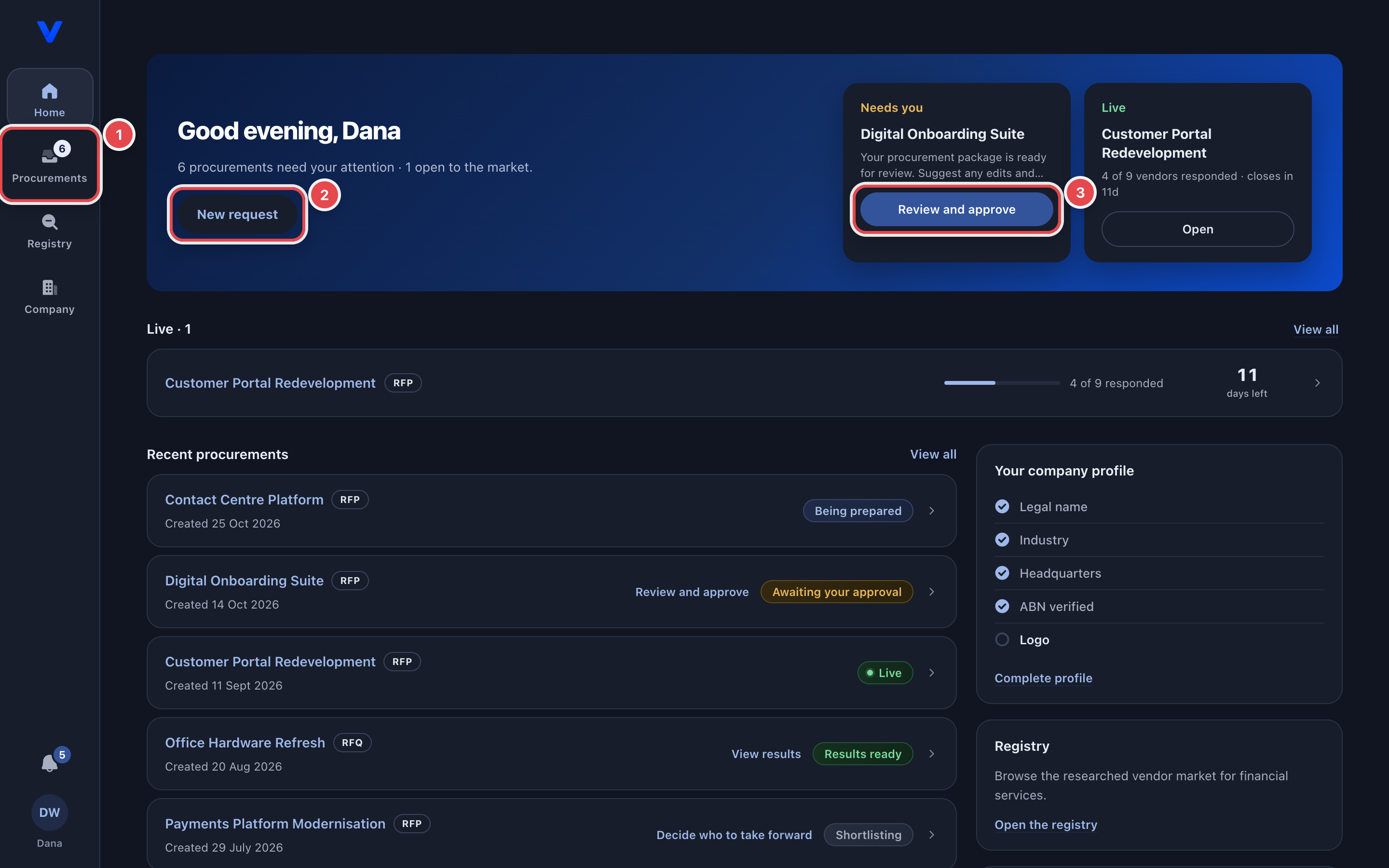
- Home: what needs your action, your procurements at a glance, and "New request" to start one
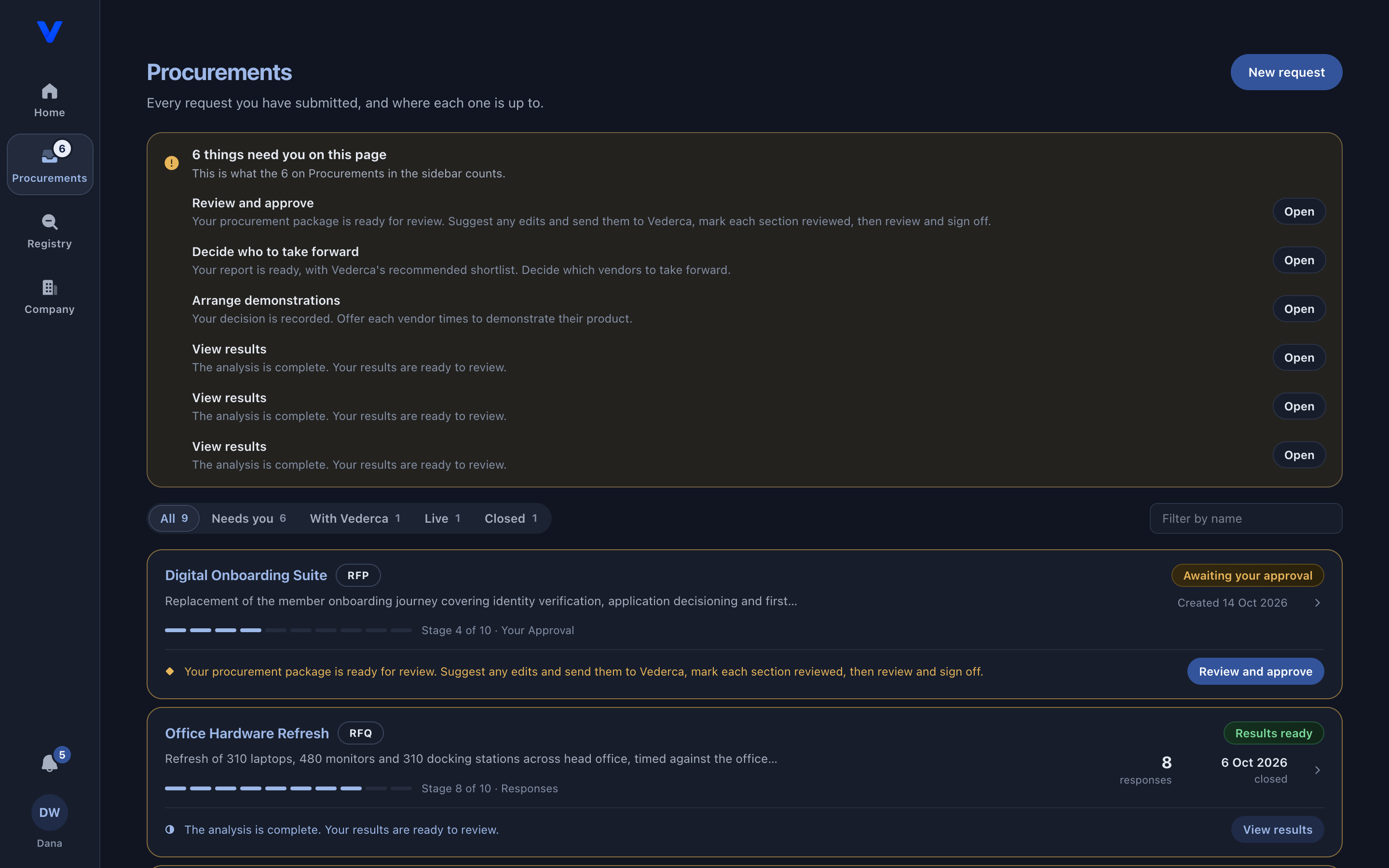
- Procurements: every procurement, filtered by Needs you, With Vederca, Live, Results or Closed. Each one has tabs for its documents, requirements, vendors, clarifications, results and report
- Company: your organisation's profile, which Kai reads when you start a request
- Kai: ask about your procurements, here or from the side panel on any page
- Notifications: the bell shows updates, with anything waiting on you under "Needs you"
- Your account menu: Team, Settings, Submit Ticket and this User Guide
You will not see requirements editors or analysis configuration, because you do not need to. Where you want something changed, you suggest it and we make the change.
A walk through the portal
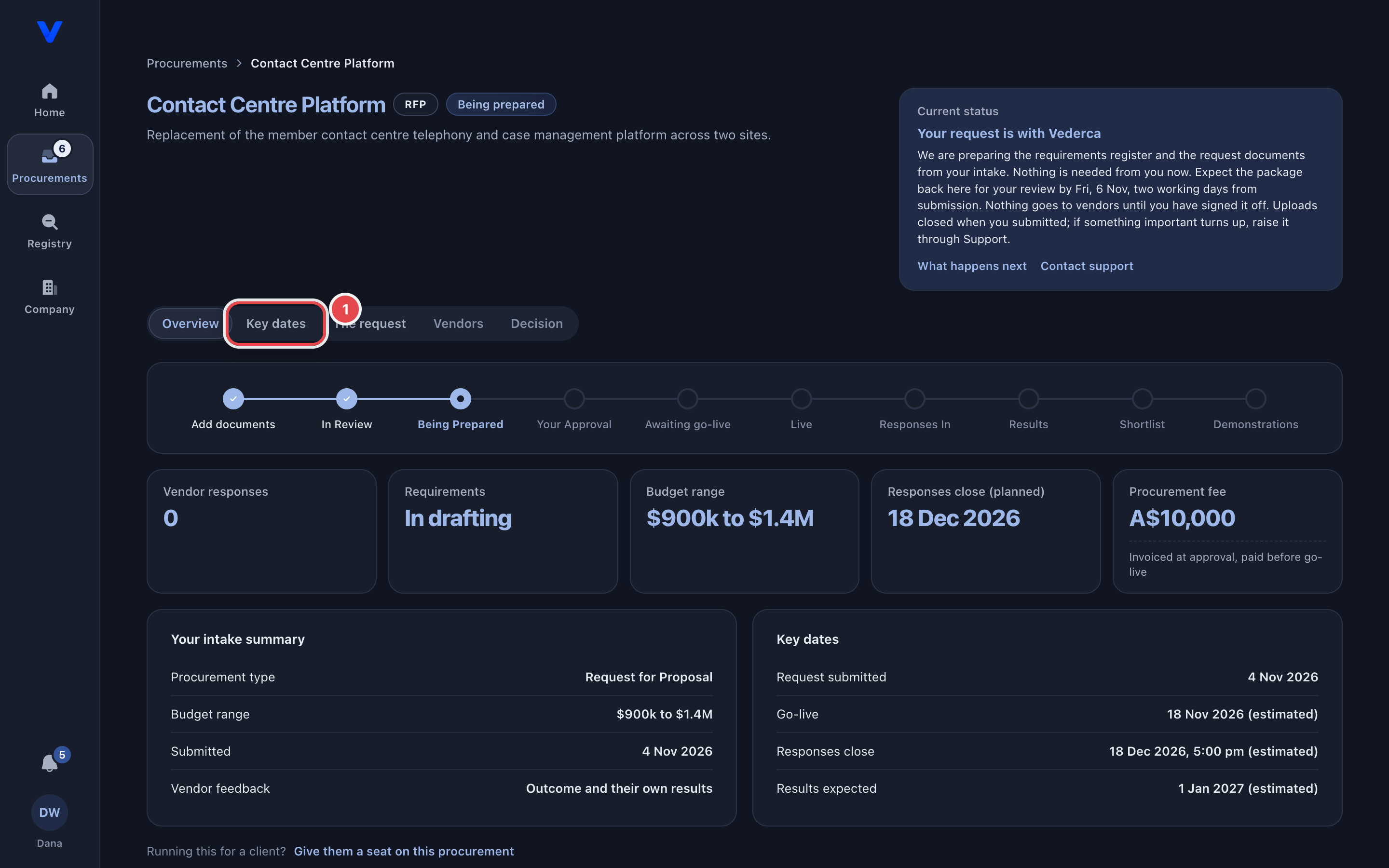
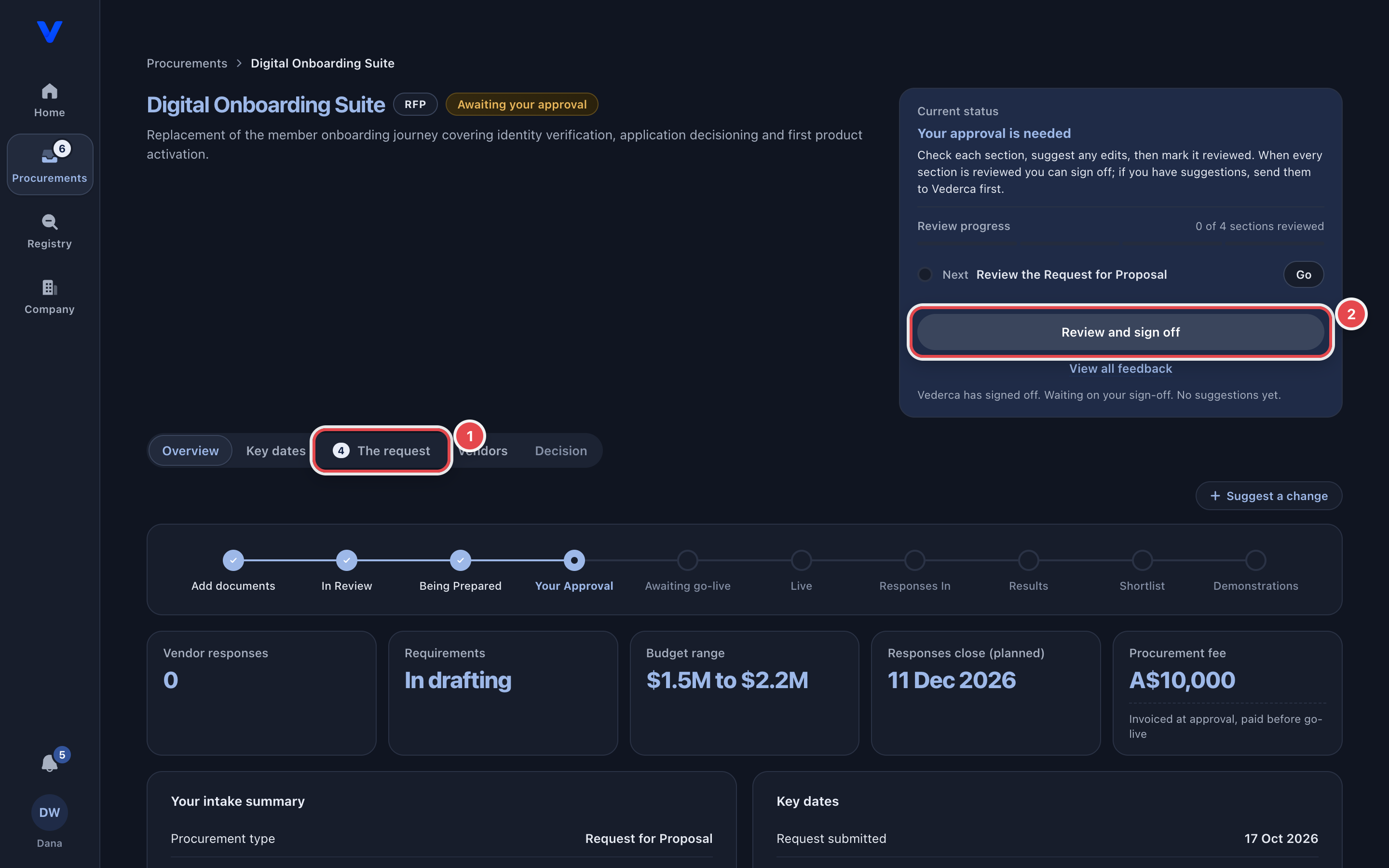
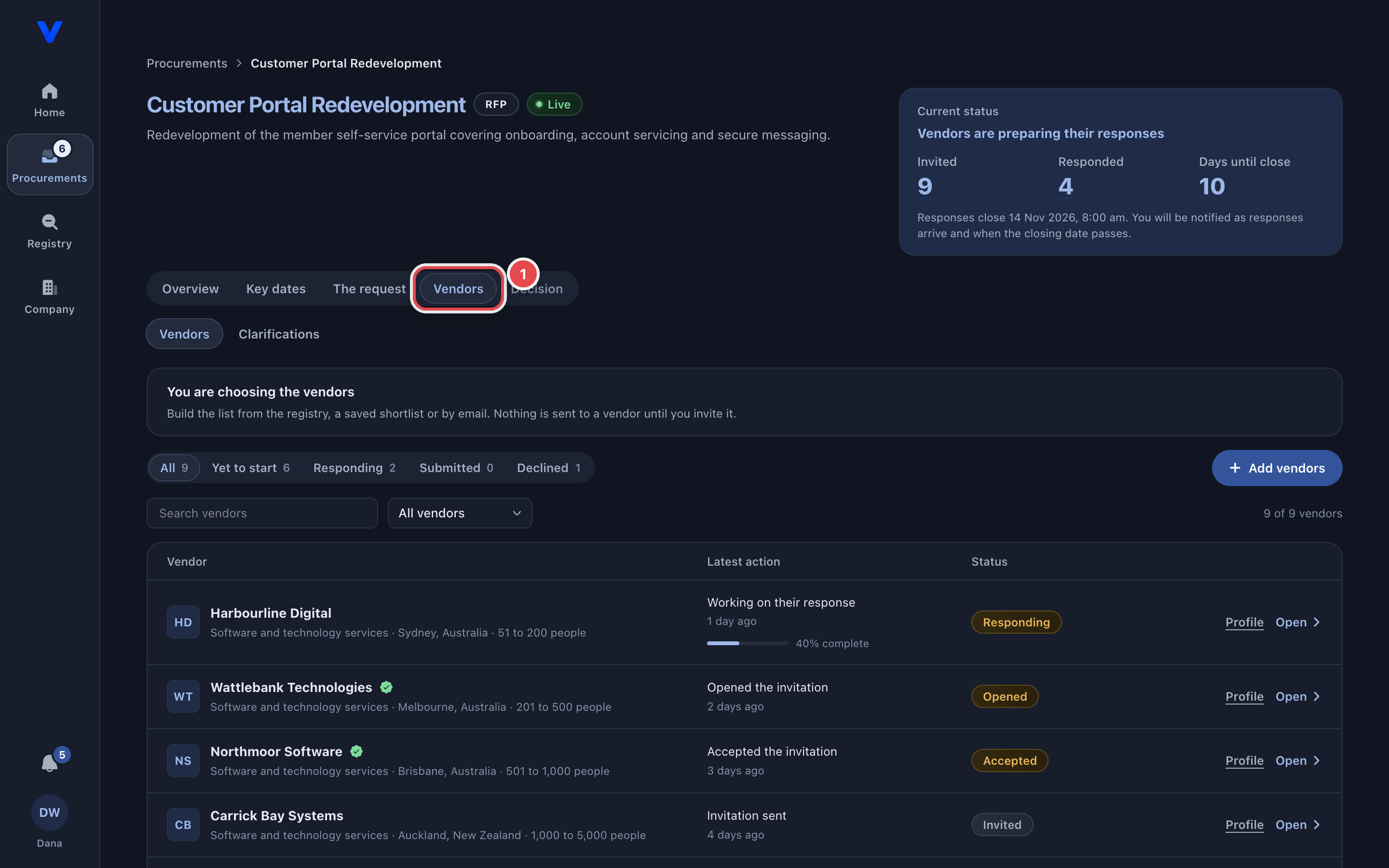
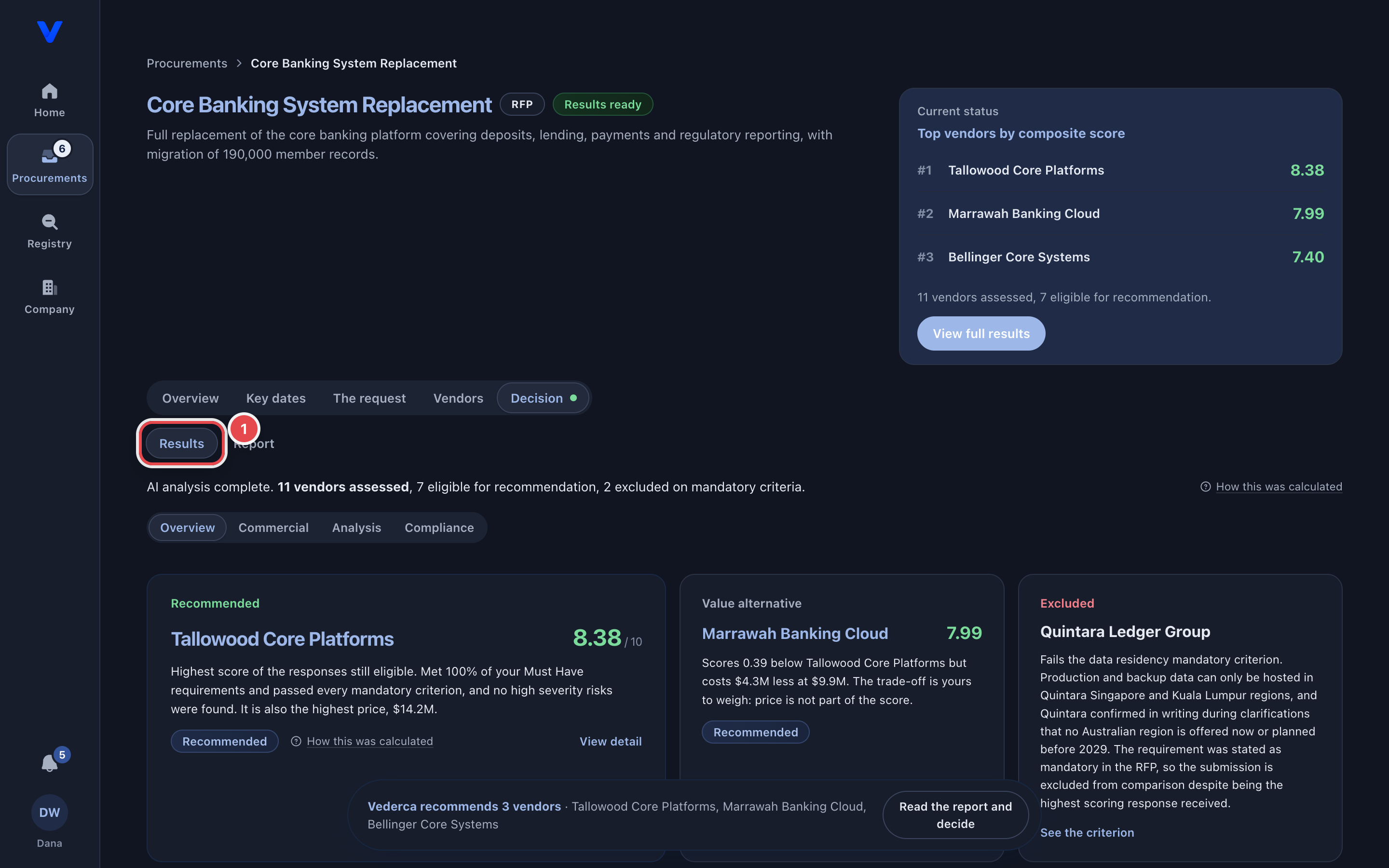
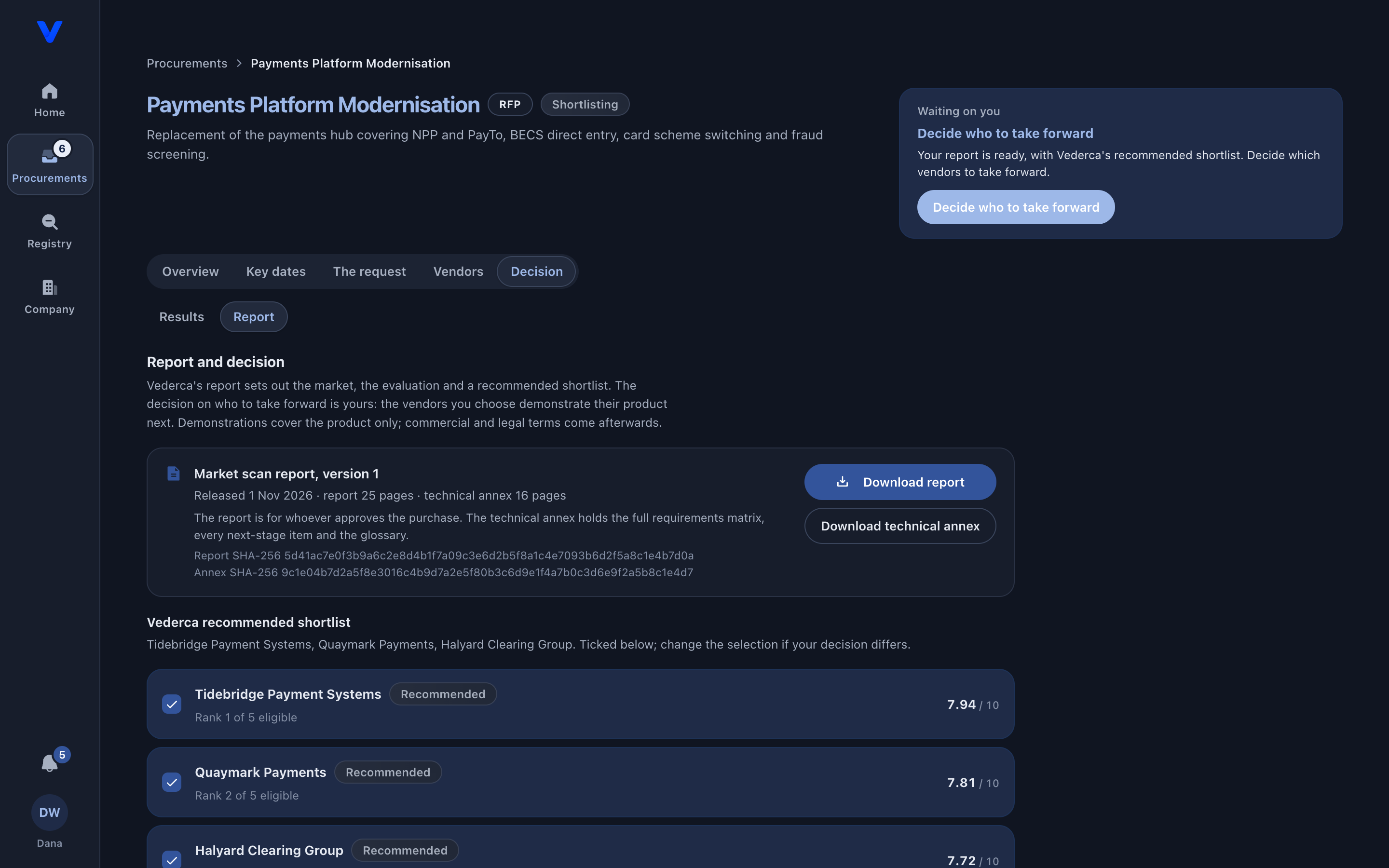
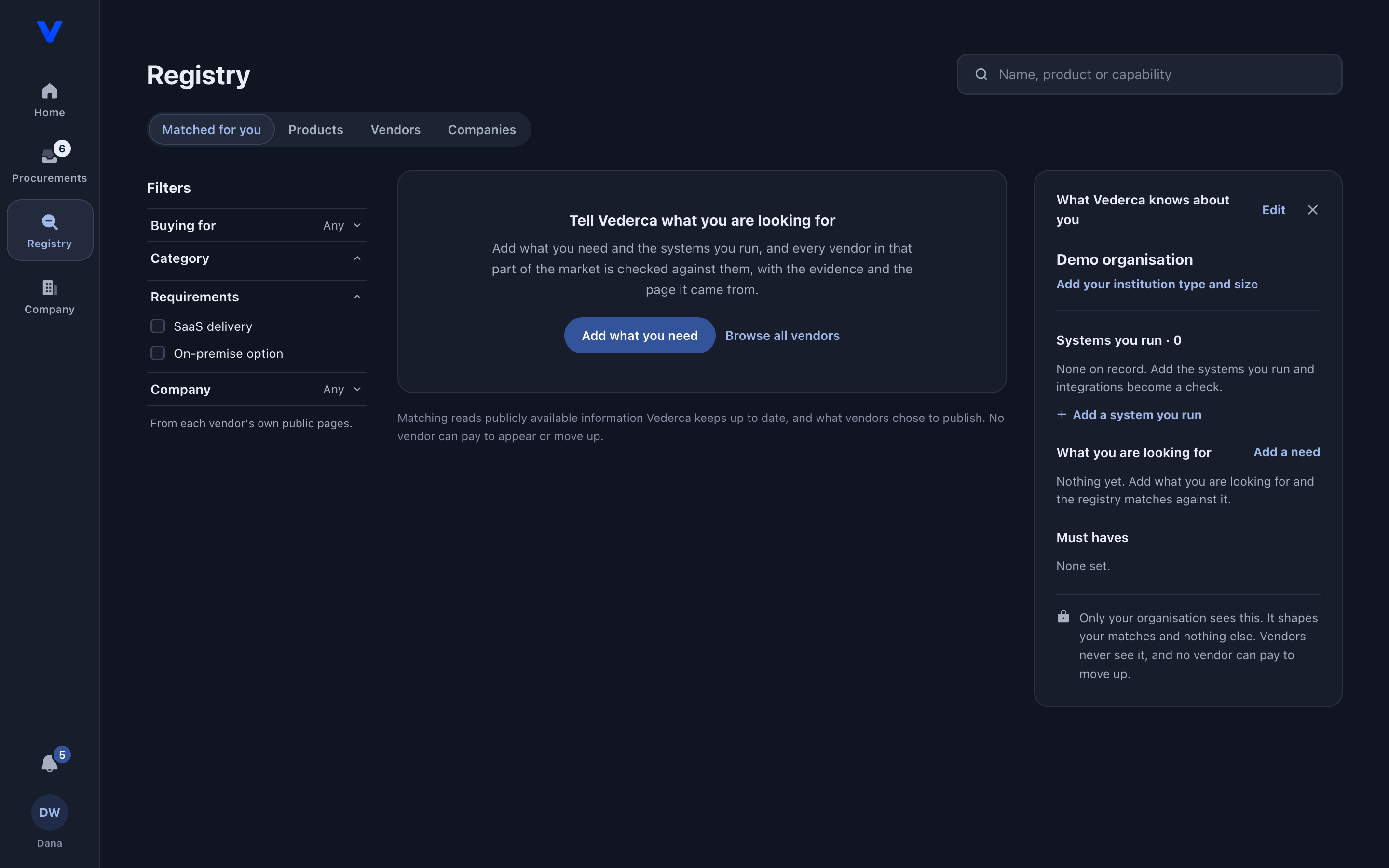
The pictures below are the real product, taken in the demo (a fictional bank with nine procurements on the go). The red rings point at the control each step uses.
1. Home: what needs you
2. Procurements: every request and its stage
3. With Vederca: your request is being prepared
4. Your approval: review and sign off
5. Live: watch vendors respond
6. Results: scored, with the evidence
7. Report and shortlist: your decision
8. Registry: the market, matched to you
Signing In and Your Team
- Signing up: use your work email address. We email you a link to confirm it before your account opens
- Signing in: there is no password. Enter your email and we send you a sign-in link, or continue with Google
- Confidentiality: procurement content is confidential. The first time you open it you are asked to accept the Confidentiality Undertaking, once for your account. You can download a copy from that screen or from the Confidentiality Undertaking page
- Colleagues: an administrator invites colleagues by email from Team, as a Member or an Admin, with no approval step. Members work inside your procurements: reading, uploading documents and suggesting edits. Admins also make the commitments: submitting for review, signing off, accepting fees, confirming vendors and recording the shortlist decision
Getting Help
Throughout your procurement journey, you have multiple ways to get support:
- Kai: Ask about your procurements from the side panel on any page
- Your Vederca Team: Submit Ticket opens the Support page, where the team typically responds within 1 business day
- This Guide: Detailed documentation on every aspect of the procurement experience
- In-Portal Help: Contextual help and tooltips throughout the interface